

🎉 Clooned 2.0 is now online! 🎉
Upload 3D models, create infopoints, embed anywhere with built-in lead generator and more!
Businesses that embed 3D model on website create richer user experiences, increase engagement, and drive higher conversion rates. Interactive 3D content is no longer a “nice to have”, it has become a key differentiator for modern websites.
Clooned takes this one step further by transforming embedded 3D models into lead generation and branding tools, not just visual elements.

Create embed codes for 3D models with hosting and 3D web viewer. Show your models on websites, mobile phones, tablets, and touchscreens.
Traditional images and videos limit how users interact with products or projects. Interactive 3D models allow visitors to:
Explore products from every angle
Engage longer with content
Better understand complex designs
Make more confident decisions
When you embed a 3D model on a website, users stay longer and interact more — two signals that directly support SEO performance.
✅ 3D Cloud Hosting
✅ No-Code User Panel
✅ 3D Embed Code Creator
✅ 3D Web Player Viewer
✅ Deep Model Analytics
✅ Entreprise Level Security
⭐NEW ✅ Infopoints on Models
⭐NEW ✅ Lead Generation
⚡ Fast 3D Model Streaming
⚡ Unlimited Embedding
⚡ Unlimited Viewers
⚡ Unlimited Traffic
No Credit Card Required
Upload, organize, and securely store all your 3D files in one place.
Drop interactive 3D viewers into any website editor, HTML or code with a single line of code.
Desktop, mobile, tablet, touchscreen. No plugins needed.
Pin labels, descriptions, and media directly onto your 3D model to highlight key details.
Guide viewers through your 3D model step by step with custom tour paths.
Collect contact info directly from your 3D viewer with built-in lead forms.
What truly sets Clooned apart is its ability to collect leads directly inside an embedded 3D model.
Instead of placing static forms around your content, Clooned allows you to:
Embed lead forms inside the 3D model viewer
Capture user data at peak engagement moments
Trigger forms based on interaction with the 3D model
Turn visual interest into measurable conversions
This approach makes the embed 3D model experience actionable, especially for B2B websites, product pages, real estate projects, and technical presentations.

Clooned is a no-code platform designed to help businesses embed 3D models on a website quickly and efficiently, without plugins or complex development.
With Clooned, you can:
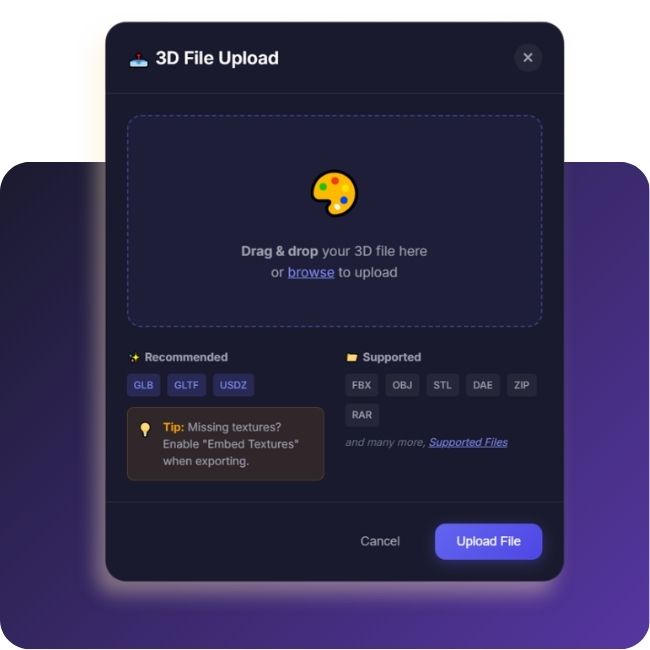
Upload and host 3D models securely in the cloud
Generate an embed code in seconds
Add the 3D model to any website using a simple embed
Add interactive info points directly on the 3D model to highlight features and details
Collect leads through built-in lead forms integrated into the 3D experience
The entire process is optimized for performance, making Clooned ideal for websites focused on speed, user experience, search engine visibility, and conversion.
Try Clooned today and take your products to the next level!
Every embedded 3D model should feel native to your brand. Clooned provides full branding control for individuals and companies uploading 3D models.
Branding features include:
Adding your own logo inside the 3D viewer
Customizing button colors to match brand guidelines
Styling lead form themes and UI elements
Creating a consistent, professional experience across your website
As a result, when you embed a 3D model on a website, it strengthens brand trust instead of looking like a third-party tool.
If you want to move beyond static visuals and start converting engagement into results, Clooned makes it simple.
👉 Embed your first 3D model, add lead forms, and customize branding directly from the Clooned dashboard.
Get started here:
🔗 Access the Clooned Studio Dashboard and embed your 3D model in minutes.

Embed interactive 3D models on a website in minutes using a simple embed code. Clooned makes it easy to upload and host 3D models, add interactive info points, collect leads directly inside the 3D experience, and apply full branding — all through a fast, no-code dashboard optimized for performance and SEO.
Try Clooned today and take your products to the next level!
Contact us for more information.

Embedding a 3D model on a website means adding an interactive 3D viewer using an embed code, allowing visitors to explore the model directly on the page without downloading anything.
Upload your 3D model to the Clooned dashboard, customize it if needed, copy the generated embed code, and paste it into your website. No plugins or coding skills are required.
Yes. Clooned allows you to add interactive info points directly on the 3D model to highlight features, explain details, or guide users through specific parts of the model.
Yes. You can place lead forms inside the 3D experience and collect user information while visitors interact with the model, helping turn engagement into conversions.
©2026 All Rights Reserved.